Capture With a 360 Camera
Use these practices to record 360 footage for a detailed, reliable 3D Gaussian Splatting model.
1. Prepare the scene
The scene should be as static as possible, including lighting.
Plan a route
Make sure your route reaches every part of the scene you want to reconstruct.
Do not move furniture
Make sure all capture areas are easy to access without moving any furniture during the capture.
Open all doors and move temporary objects
Open all doors and move temporary objects that block your planned route.
Keep lighting steady
Keep lighting steady throughout the recording. Turn on lights to illuminate the scene consistently throughout the whole capture.
Remove any dynamic items
Turn off screens and TVs. Remove objects or decorations that may move during capture.
Things to avoid
Avoid crowds, pets, and moving vehicles because they can cause reconstruction artifacts.
2. Prepare the camera
Set the camera to record clear, consistent footage before you begin.
Choose the dual-lens capture
Choose dual-lens capture to record the full 360-degree view of the scene.
Use manual mode
Use manual capture mode and apply these settings. Keep the shutter speed fixed throughout a capture and prioritize the highest available resolution.
Auto ISO may remain enabled. The 800 value is a cap: the camera can select a lower ISO but never a higher one.
| Setting | Outdoors, daytime | Indoors | Dark or nighttime |
|---|---|---|---|
| ISO | Auto, max 800 | Auto, max 800 | Auto, max 800 |
| Resolution | Highest available | Highest available | Highest available |
| FPS | 30 | 30 | 30 |
| Shutter speed | 1/800s or faster | 1/120s or faster | 1/60s or faster while maintaining usable exposure |
| Picture mode | Standard | Standard | Standard |
| White balance | Locked | Locked | Locked |
Disable automatic stabilisation
Stabilisation changes the camera's orientation between frames and can make reconstruction less reliable.
Check battery life and storage
Confirm that the camera has enough battery life and free storage for one uninterrupted recording.
Clean both lenses
Clean both lenses before recording.
3. Camera handling
Keep the camera clear of your body and move it steadily through the scene.
Use a selfie stick
Mount the camera on a selfie stick or monopod that keeps it away from your body. Footage covered by you is not usable for reconstruction. Hold the stick upright and keep the camera slightly ahead of you when practical. Avoid touching or covering either lens.
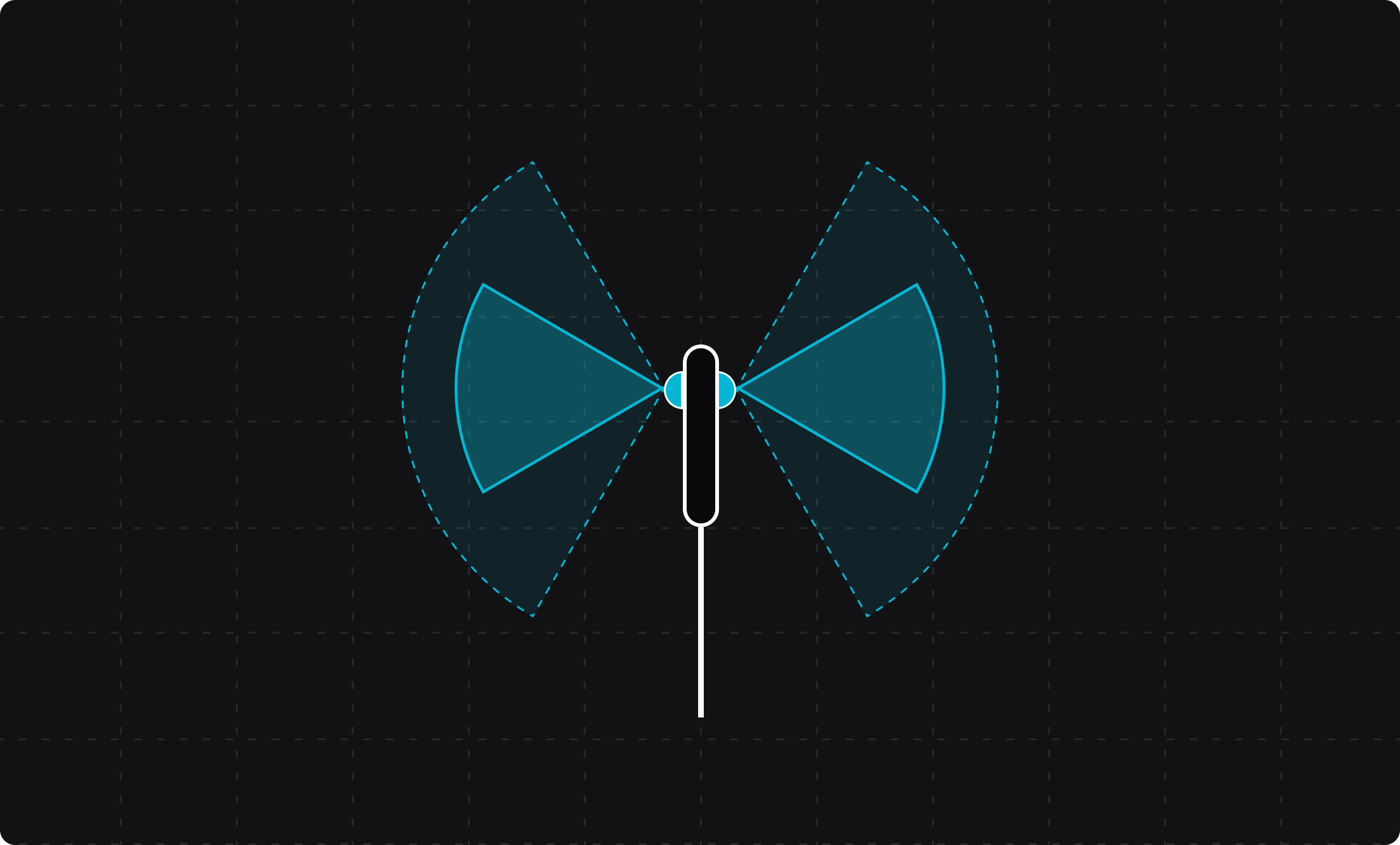
Hold the lenses sideways
Rotate the camera so its two lenses face sideways, perpendicular to your walking direction. Keep the camera in this orientation throughout the capture.
This keeps more of the scene in view as you walk.
Hold the lenses sideways
Keep the lenses perpendicular to your walking direction.
Move around
Move through the scene instead of rotating the camera from one position. Each new position gives reconstruction more views of the scene and improves its ability to estimate depth.
Hold the camera steady
Hold the camera steadily during the entire capture. Avoid fast, jerking movements, especially when turning corners. Keep the stick as still as possible when you stop, turn, or pass through narrow spaces.
4. Movement and coverage
Move through the entire scene with deliberate, overlapping camera paths.
Move slowly
Move slowly to avoid unnecessary motion blur.
Avoid fast or jerking movements, especially around doorways, corners, small objects, and detailed features.
Capture at various heights
Repeat the same area at two or more fixed camera heights. Changing the camera height adds views that help reconstruction distinguish surfaces and estimate depth.
Overlap captures
Make each pass overlap the previous one. Revisit room connections and important features from different directions so each area has enough shared visual detail.
Movement patterns
Choose a movement pattern that gives the camera coverage from multiple directions.
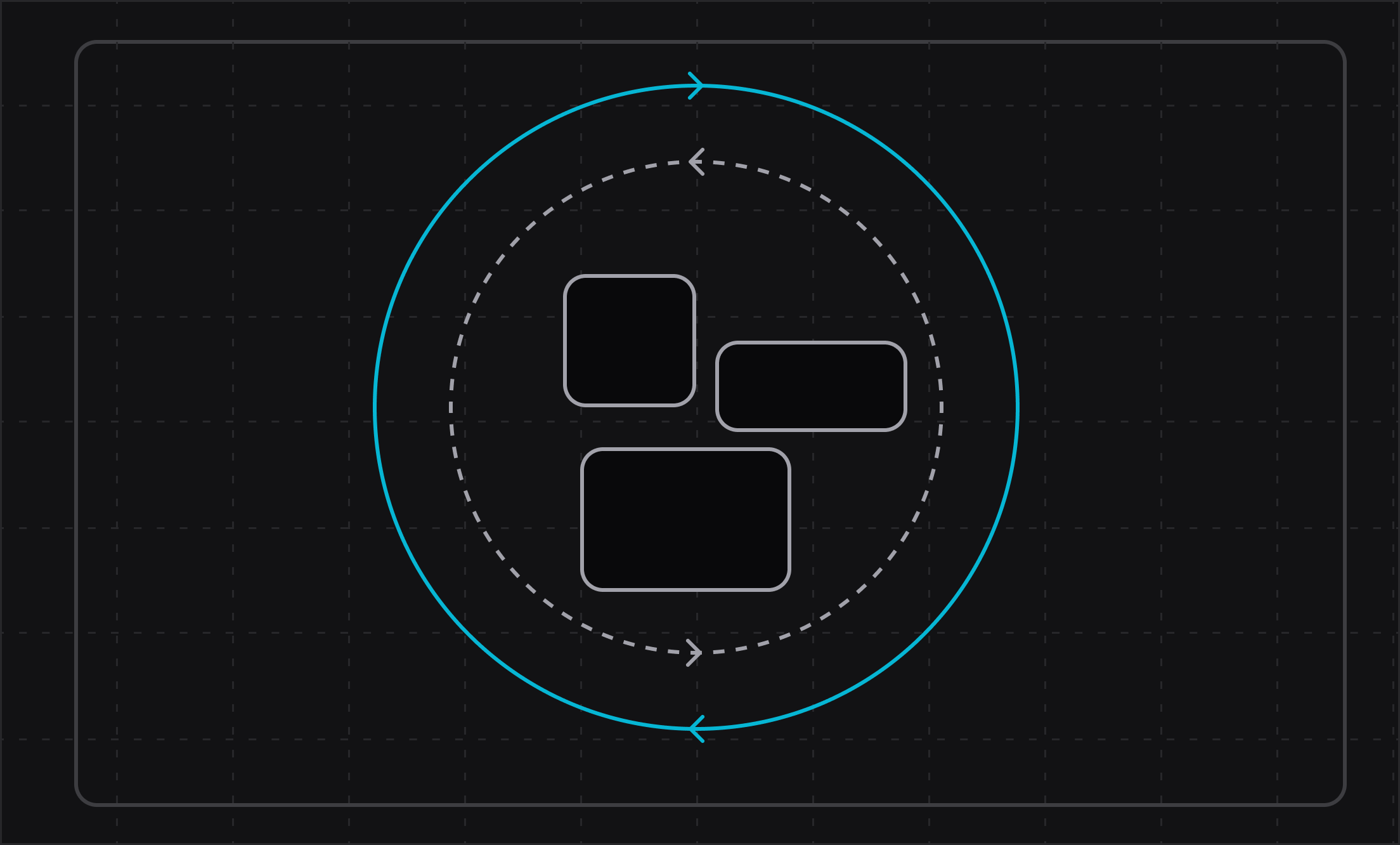
Circular movement
Walk around an object or feature at two or more fixed heights, then repeat the path in the opposite direction.
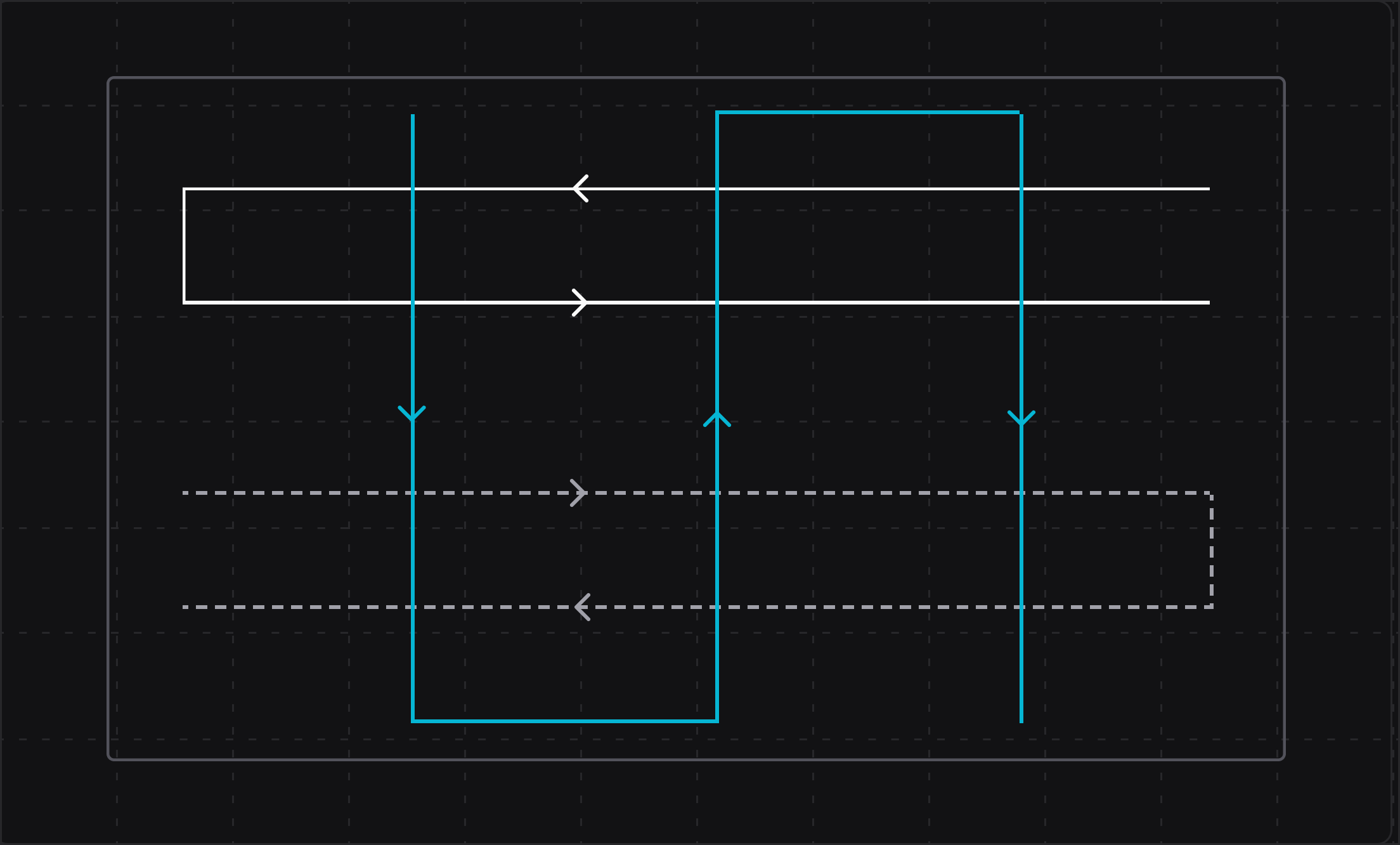
Lawnmower movement
Capture large areas in multiple lawnmower-pattern passes at different heights and directions.
Keep the camera clear
Keep the camera at least 50 cm away from walls, furniture, and other objects. Moving too close reduces coverage and makes it harder to reconstruct nearby surfaces.
5. Review your capture
Review the recording before leaving the location so you can correct problems while the scene is available.
Check for missed areas, lens smudges, motion blur, and interrupted recordings. Record another pass for any area that needs better coverage.
6. Process your footage
Process your 360 footage with your favourite 3D Gaussian Splatting tool.
When the model is ready, export it in a supported format and upload it to Blurry.
If you need help processing your 360 footage, book a consultation with the Blurry team.